
WhatsApp Desktop
WhatsApp Desktop is the official WhatsApp app for Windows, letting you chat and call from your PC with the account on your phone.
339.2 MB

Signal is a free, privacy-focused encrypted messaging app from the Signal Foundation. Signal Desktop 8.28.0 brings your chats to a Windows PC.
Average 0.0 · ratings: 0
Thank you! Your rating is saved; you can change it. Could not save the rating. Please try again later. Too many ratings from your network today. Please try again tomorrow. The average appears after 5 ratings.
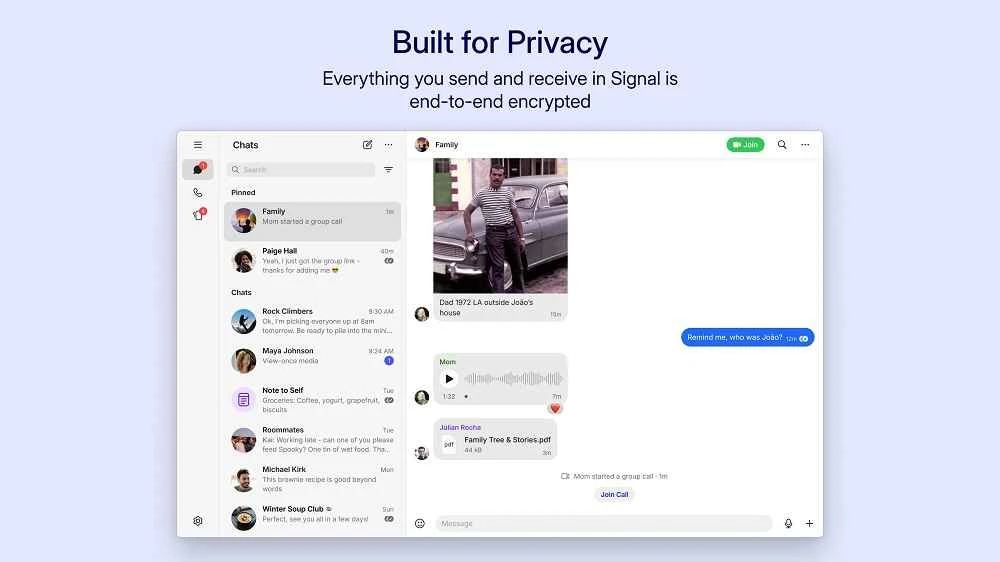
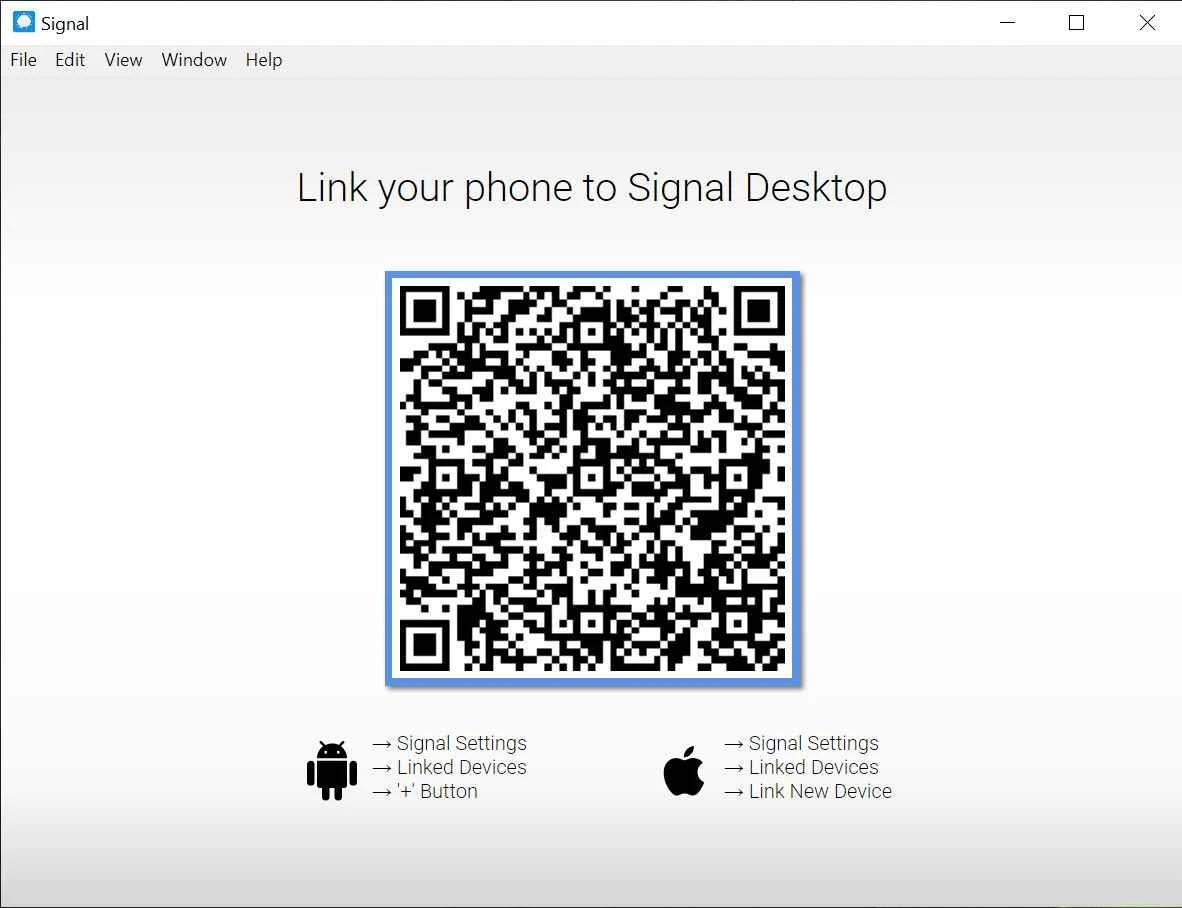
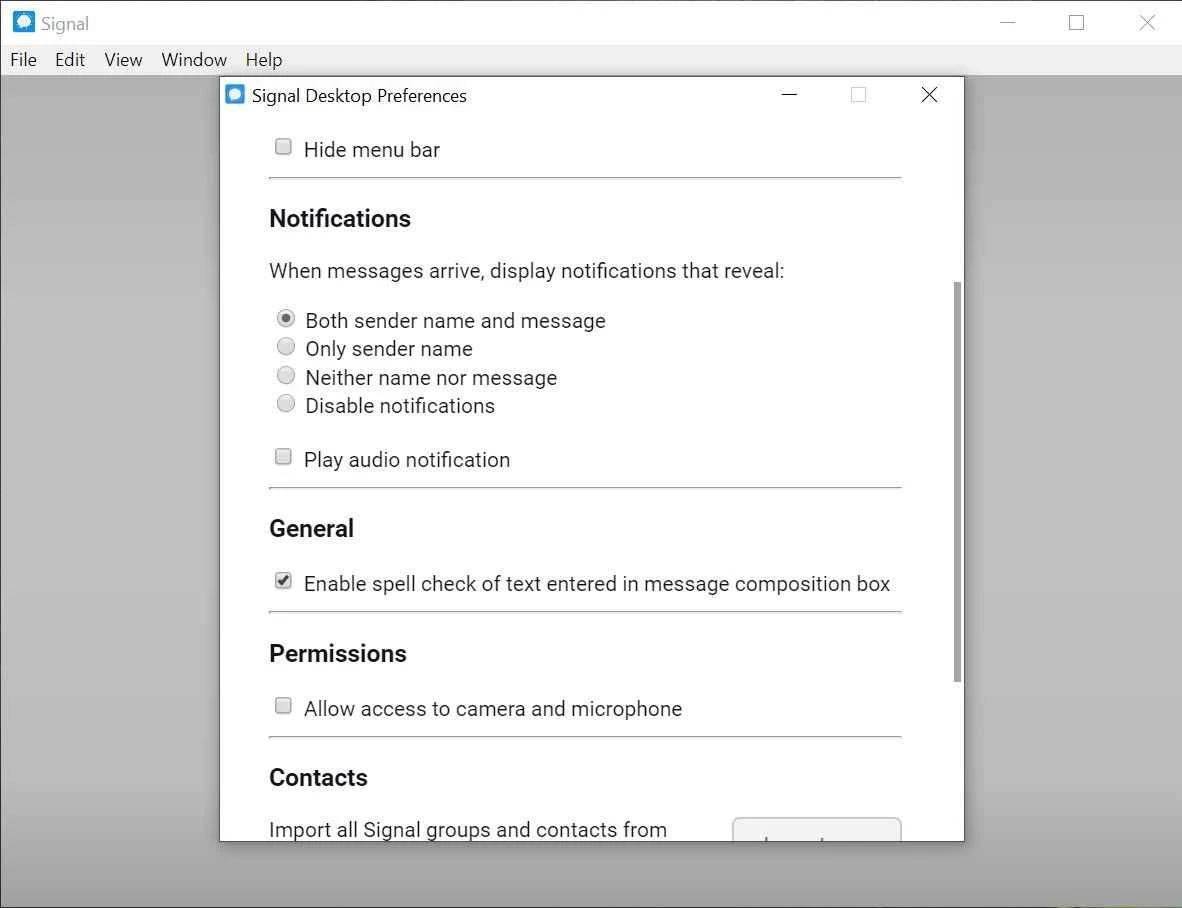
Signal 8.28.0 for Windows is the desktop app of the privacy-focused encrypted messenger from the Signal Foundation. It is free to download from signal.org and works together with Signal on your phone, so you can read and send messages from your PC.
Signal launched on 29 July 2014 and has become the messenger people recommend when privacy matters most. Messages and calls are end-to-end encrypted, which means only the people in the conversation can read them, not even the service that carries them. The Signal Foundation is a non-profit, the app shows no ads, and the code is open source under the GNU Affero General Public License 3.0, so anyone can check how it works. Signal Desktop is not a standalone account: it links to the app on your phone, and after linking your conversations appear on the computer and stay in sync. That setup keeps the phone as the key to the account while giving you a full keyboard and a big screen for long chats, group planning or sending files from the PC. Updates arrive often; the current version 8.28.0 was released on 23 September 2026.
| Platform | Requirement |
|---|---|
| Windows | Windows 10 or 11 |
| macOS | macOS 12 (Monterey) or later |
| Linux | 64-bit amd64 (x86_64) distributions |
| Phone | Android 6.0 or later, or iPhone, to link the desktop app |
The download is about 254.92 MB according to catalogue data. See the official installation guide for details.
Signal is safe when downloaded from signal.org. Fake installers do circulate, so do not take the program from other sites. Lock your Windows account with a password, because anyone who can open the PC can open the linked app. If you stop using a computer, unlink it from the phone.
Mute busy group chats instead of leaving them, turn off message previews in Windows notifications if other people can see your screen, and keep the desktop app open in the background so messages arrive without delay. When you get a new phone, move your account first and relink the desktop afterwards.
Free, with no ads or subscriptions. Signal is funded by donations.
Other desktop messengers in our listings include Telegram, WhatsApp and Viber. The source code of Signal Desktop is on GitHub.
WhatsApp Desktop is the official WhatsApp app for Windows, letting you chat and call from your PC with the account on your phone.

Microsoft Teams is Microsoft's collaboration and video-conferencing app for chat, meetings, calls and shared files at work, school or home.

Zoom Meeting is the desktop client of Zoom's video-conferencing service for calls, webinars, screen sharing and chat on Windows.
Camo Studio is Reincubate's desktop app that turns an iPhone, iPad or Android phone into a high-quality webcam for a Windows PC or Mac.

Google Meet is Google's video meeting app. On Windows it runs from the browser and can be installed as an app, with no separate installer to download.

Facebook for Windows is the desktop app of Meta's social network, with the news feed, groups, pages and notifications in a separate window.

Telegram Desktop is the official Windows client of the Telegram messenger, with chats, groups, channels and file sharing synced from the cloud.

Telegram Web is the browser version of the Telegram messenger: open it on a Windows PC, log in with your phone and chat without installing anything.